Managing business travel is becoming easier than ever with NOVA's latest features!
In today’s fast-paced corporate travel landscape, staying informed about the latest features in our corporate self-booking tool is key to delivering exceptional service to your corporate customers. That’s why we’re committed to keeping you updated on the latest NOVA features.

Empowering you to provide more efficient, organized, and insightful travel solutions to your corporate accounts!
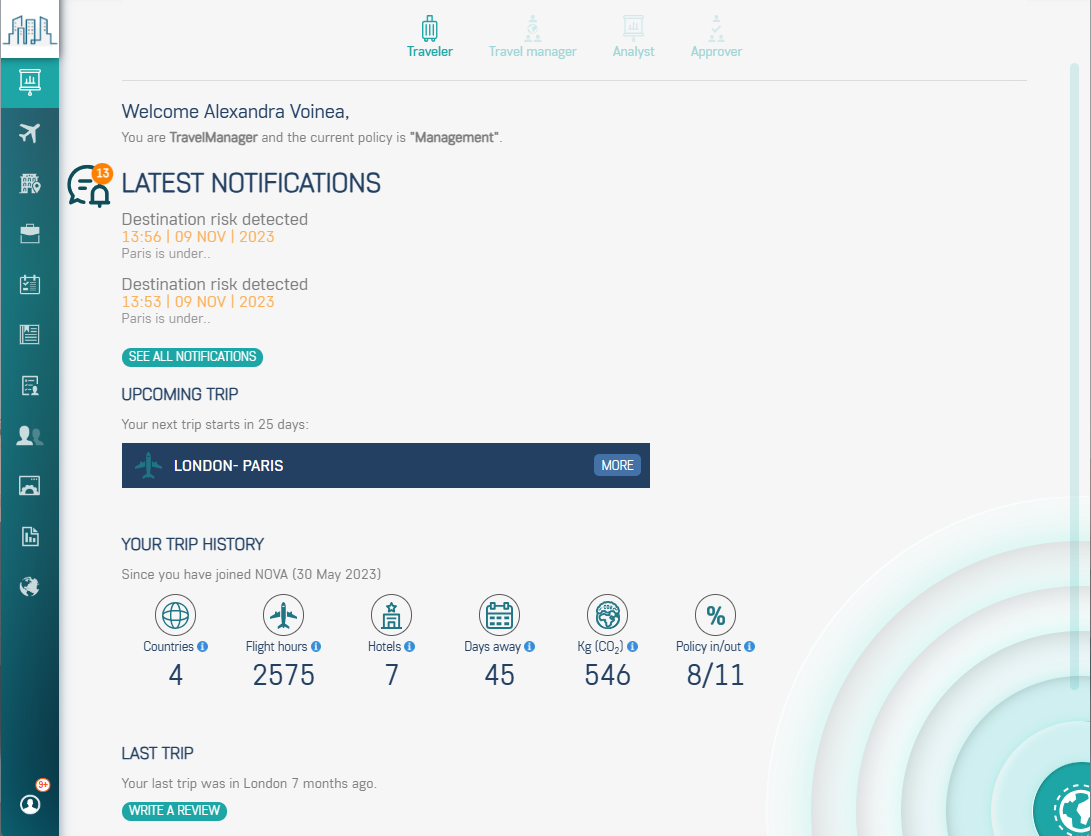
Introducing the NOVA Dashboard - Better travel insights at a glance
The latest NOVA version brings a powerful, personalized dashboard designed to provide role-specific insights.
- Common information for all users: Quick access to essential details like role, travel policy, notifications and updates.
- Booker or Arranger: Keeping track of travel plans with upcoming trips, ongoing trip, trip history, last trip
- Travel Manager: Efficient user management with insights on unused accounts, incomplete profiles, unassigned approval profiles, unassigned travel policies
- Analyst: Overview of travel spending with saving insights, approval statistics, booked services, compliance overview - inside vs. outside out of policy
- Approver: Easy review and management of pending requests for approval, number of approved/declined requests


Staying organized just got easier with Calendar Events!
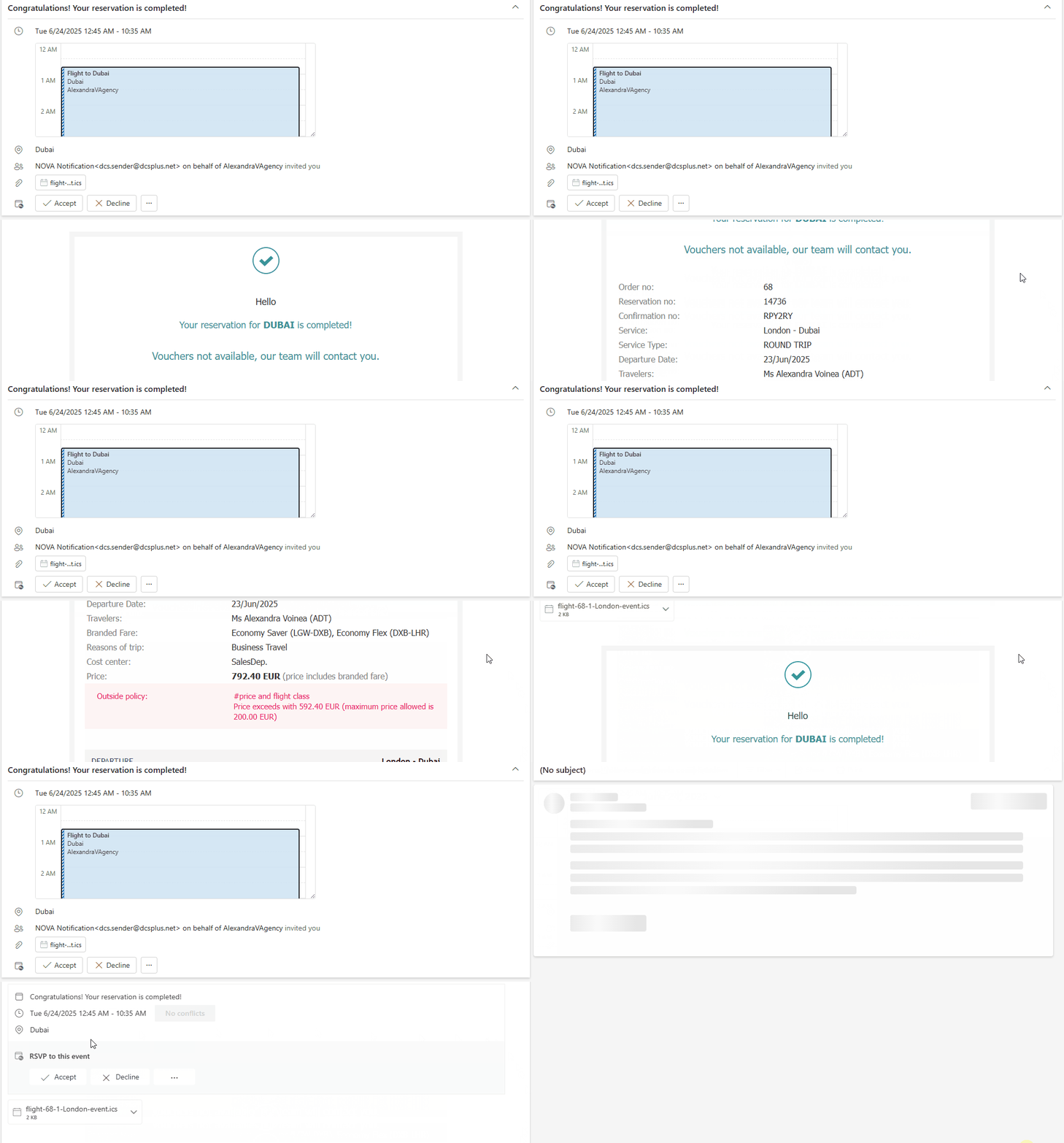
Booking confirmation emails now include a calendar event attachment, allowing corporate travelers to seamlessly add their trips to their preferred calendar apps.
- Automatic Attachments: Based on the company account settings, event files are added to confirmation emails.
- Effortless Scheduling: Corporate travelers don't need to manually input trip details.
- Admin Control: You can enable or disable this feature for each corporate account, from the Admin interface.
Keep your corporate customers informed about NOVA updates
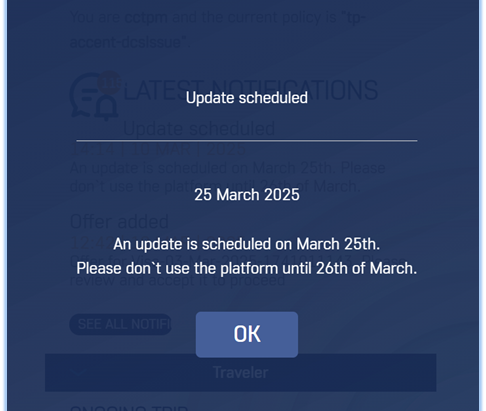
A pop-up notification on the NOVA corporate dashboard will ensure corporate customers stay informed about upcoming platform updates. This notification will appear each time the dashboard is accessed, remaining visible until the specified end date.
You can schedule any time the Update Notification from the admin interface for each corporate account.


Seamless OB Fee calculation with card information at search
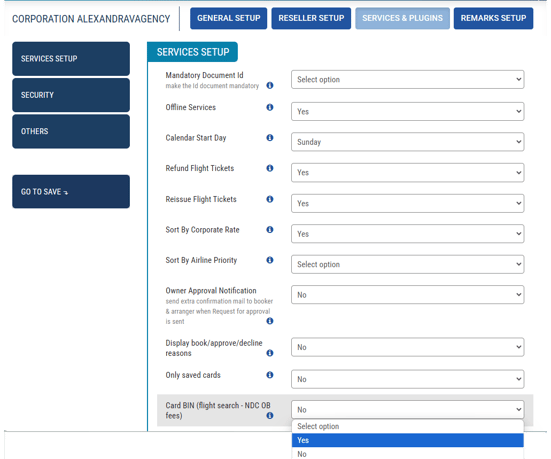
OB fees (carrier-imposed credit card surcharges) are automatically calculated based on the form of payment (FOP) used during fare searches, pricing, and ticketing.
NOVA ensures that these fees are accurately applied by incorporating form of payment details throughout the booking process for airlines distributed through Amadeus NDC[X].
Recommended airlines for your corporate customers
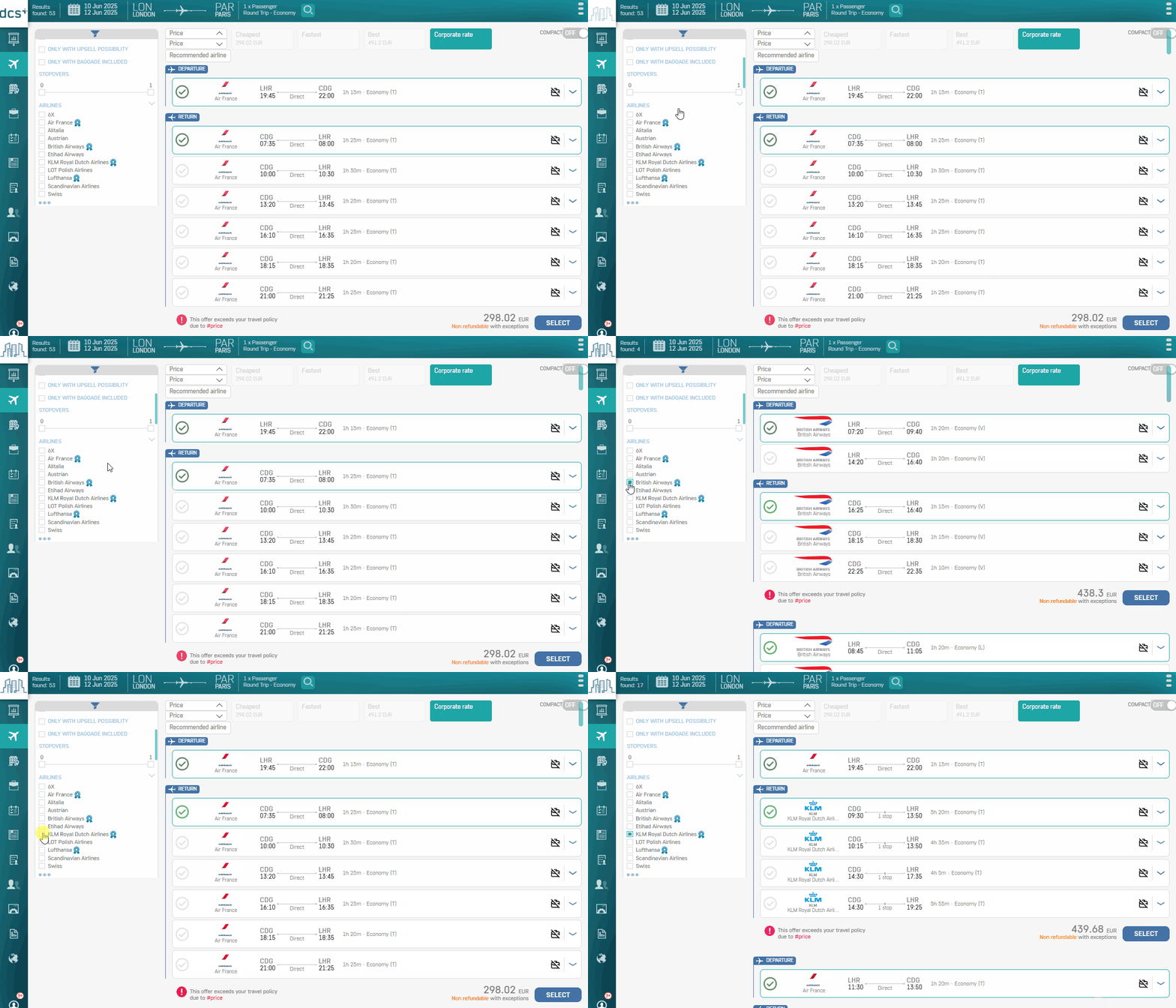
In the latest version of NOVA, specific airlines will be marked as recommended based on the imported IRIX airline priority setup. Corporate travelers can easily identify and select the recommended options using the distinctively marked airlines in the flight list filter.

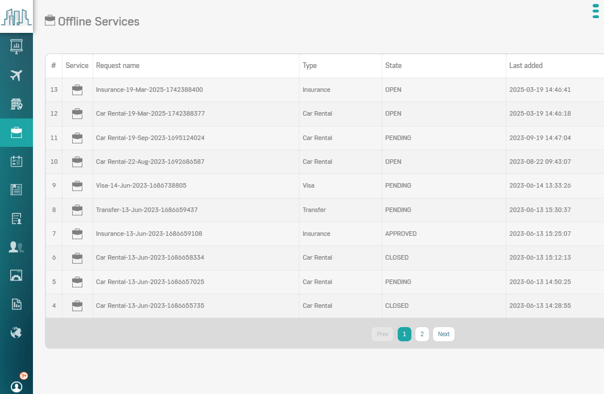
Effortless tracking of offline service requests
Managing offline requests is now easier!
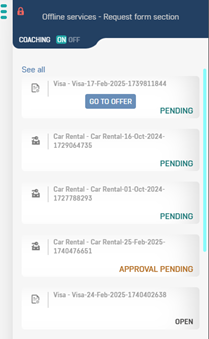
All requests are displayed in the info panel, with pending requests shown first. Each offer can be viewed and managed directly from the request, simplifying the process of tracking and confirming bookings.
Essential remarks on offline services
The offline services section has been improved, ensuring that key information is communicated consistently across the booking flow. This feature plays a crucial role in collecting additional information during the offline service booking process, and to streamline the configuration of TINA for NOVA exported services.
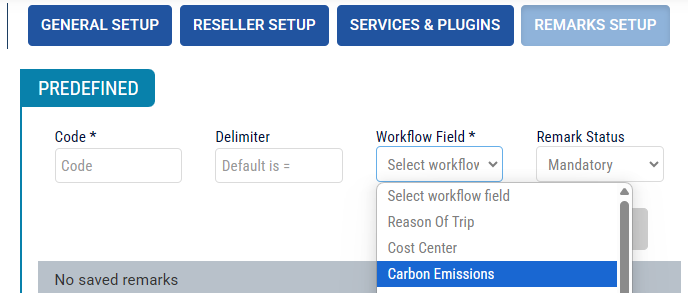
New remark for tracking carbon emissions per passenger
A new remark is available in the Remarks configuration panel, enabling the storage of the carbon emission value for a single passenger. Even in reservations with multiple travelers, the emission value is recorded per passenger, allowing for better tracking of the environmental impact of each booking.
Automatic password generation for new users
When importing users individually or in bulk, passwords no longer need to be manually set. If left blank, NOVA will automatically generate a unique password, and users will receive an 'Account Created' email to log in seamlessly.
If the password is not added, it is important to enable the "Force Change Password" option. This ensures that the user can set a new password upon their first login.